Android Smart TV box Google TV Global BBC iPlayer British TV abroad or Italian TV without a computer BBC ITV RAI Uno Italia 1
![]() |
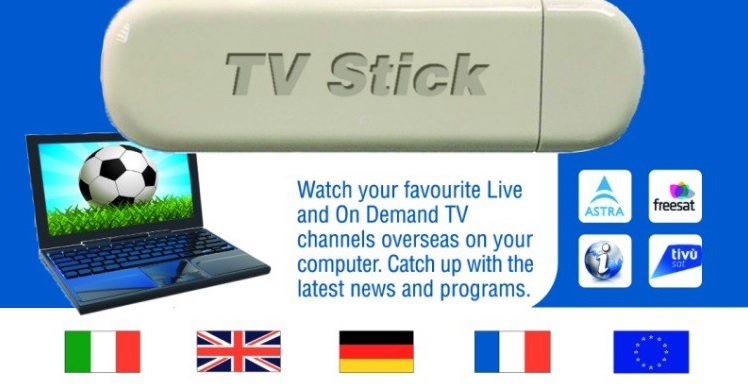
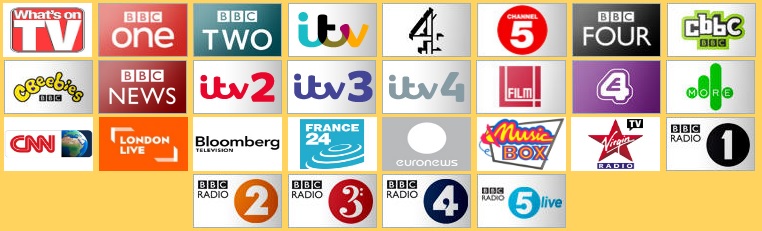
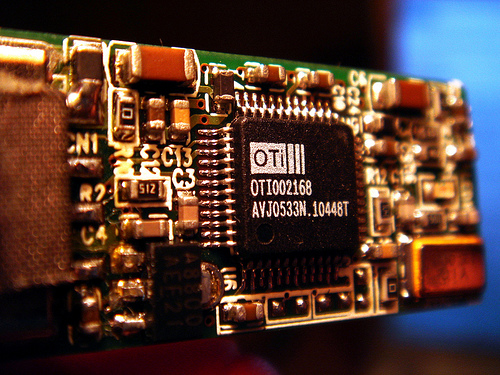
Our unique revolutionary SmartTV-Box makes British and Euro TV possible via the internet without the need of your PC or laptop It takes an encrypted internet live digital TV stream and unencrypts it onto your TV. Its a combination of our latest developed technology and private network media software. The connection software is within the SmartTV-Box which uniquely works with all LED, LCD and Plasma TVs. All you need is an HDMI connection at the back of your TV and broadband internet and our SmartTV-Box. |
|
|
|
|
|
|
|
Our SmartTV-box offering access to Free British TV is available under the TWWF and AVMS EU directives.
This service falls within the free to air linear services category. - Freedom to receive & retransmit
As a general rule (Article 3 of the AVMS Directive), EU governments may not restrict which broadcasts people can receive or what programmes foreign broadcasters can retransmit in their country – if the broadcasts comply with the EU Audiovisual Media Services Directive in the country where they originate.
UK/USA only SmartTVbox ______________________________________________________________________
BBC Iplayer now international on Ipad (Is Android next)
The app, which offers a mix of new and archived content, has launched today across 11 European countries and will roll out to the US and Canada before the end of the year. The global iPlayer is only available initially as a free app on the iPad, as BBC Worldwide, the commercial arm of the corporation, looks to initially target only those aged between 25 to 40 who are ‘media savvy’ and willing to pay for content on their iPads. Nearly 25 million iPads have been sold around the world to date. Jana Bennett, BBC Worldwide’s president of Worldwide Networks and Global iPlayer, stressed that the service was different to the BBC iPlayer, despite sharing the same name. “The app is only offering the best of the BBC’s content. The UK-only taxpayer-funded BBC iPlayer offers users a seven day catch up service, as well as the ability to watch any of the 10 BBC TV channels live online or listen to any of the corporation’s radio stations. iPad owners wanting to access the global iPlayer app can either pay for a monthly subscription costing €6.99 (£6.15), versus the £12.15 monthly licence fee, or opt for the yearly subscription. As with all subscription services using the Apple payment system, 30 per cent of all revenues generated by the global iPlayer app, will have to be given to Apple. The global iPlayer app launches with 1,500 hours of content, which users can navigate either by genre, an A to Z index, ‘the most popular’, or via the home page of the app – which will feature differently curated content every day. One hundred new hours of content, a mixture of old and new, will be added every month. Entire series of popular BBC shows such as Dr Who, Fawlty Towers and Absolutely Fabulous will be available via the app from launch. There is also a ‘just in’ section of the app which will see recently aired shows, such as Eastenders, or news specials, like Panorama, be available within a few days of broadcast. Mark Smith, the global iPlayer’s launch director, said: “Over time the product will evolve to include more social features, allowing users to recommend content to each other based on their likes and dislikes on sites like Facebook…but for now we have included Twitter and Facebook buttons, so people can tell people what they are watching when they are viewing it.” There is a small amount of content which will be available via the free app, including short tasters of shows and some full-length programmes. However, all free content will be sponsored and around the app, there will be display advertising, as the global iPlayer is a commercial venture. Bennett said she believed there was a strong expat market for the product and that she expected certain UK viewers, already paying the licence fee, would want the product too. However, there are no plans to reflect that scenario with a discounted pricing plan and at launch the app is not available in the UK. She added: “I am keen to build bespoke journeys using BBC content to best appeal to different international audiences. This could mean when a UK news story happens, such as the death of Amy Winehouse, we could put together a montage of the BBC’s back catalogue, differently tailored for each country, out via the app.” BBC Worldwide decided to test out the service as an app, while the 40-strong launch team continues to trial the best way to package and serve content abroad.
BBC iPlayer launches in Europe - By Daily Mail Reporter
The BBC's iPlayer service launched in Europe for less than half the price of the British TV licence fee. The European version of the iPlayer costs just 6.99EUR (£6.14) per month - which equates to £73 per year. The annual licence fee for British viewers is £145.50 per year. Going global: The European version of the iPlayer costs just 6.99EUR (£6.14) per month - which equates to £73 per year John Smith, head of BBC Worldwide, said: 'Today marks a significant next step on a digital journey that has already seen 12million BBC Worldwide apps downloaded across brands as diverse as Lonely Planet and Good Food. More...Poor sales force Nintendo to slash price of 3DS console by 40%... just FOUR MONTHS after its launch The digital rebellion: Radio revolution threatened as analogue sets outsell DABs three to one While the global iPlayer app will not provide all of the BBC's content to overseas subscribers, the catch-up service is expected to allow those abroad access to full series of shows. The iPlayer app is due to launch internationally in the next few months - in the U.S. it is expected to cost around $10 (£6.09) per month. DOES iPLAYER REQUIRE A TV LICENCE IN BRITAIN? Yes and no is the strange answer to that seemingly simple question. According to the TV Licencing authority, if you use iPlayer to watch TV programmes at the same time as they are being shown on TV - such as live sporting events - then you need to be covered by a valid TV licence. However, if you use the service to watch programmes after they have been broadcast, either as downloads or via streaming on-demand, then you do not need a licence. The licence fee gives Britons access to ten TV channels and 55 radio stations, as well as the Online, Mobile and iPlayer services. However, the BBC said that the international iPlayer app will help to provide more funding for services for people in Britain, a view was echoed by industry experts. 'There are two ways of looking at this,' Ian Maude, head of internet at Enders Analysis, said recently. 'One way is that people overseas should pay more for BBC content than those in the UK who are forced to pay the licence fee, whether they like or not, as it is imposed as a flat tax. 'However, the other way to view it is that any more money the BBC can generate overseas is good for UK licence fee payers because the extra money will help keep the fee down.' Mark Thompson, the BBC's director general, said the iPlayer app will allow the BBC to 'sell directly to consumers' without the need to rebrand them for broadcast internationally, which would seem to bring it into conflict with the business model of the BBC's commercial arm, BBC Worldwide. BBC director general Mark Thompson. The global iPlayer app will not provide all of the BBC's content to overseas subscribers, but the catch-up service is expected to allow those abroad access to full series of shows But as mobile TV technology improves Mr Thompson called for broadcasters, mobile phone companies and the government to work together and create guidelines for the developing frontier. 'I believe that there's a strong case for the UK's broadcasters, mobile phone operators, Ofcom and government to come together to develop a road map for the introduction of mobile TV in this country,' he said earlier this year. 'This would be complementary to the availability of TV content on demand, whether streamed or cached on the device and would enable the public to access time-critical content – news, major sports events and so on – wherever they are.
Computeractive on BBC Iplayer
Ask most people what the BBC does, and they will say “Eastenders” or talk about BBC One and BBC Two, and the well-known radio stations. In fact your licence fee provides much more than just that. There are local radio stations, extra TV channels, not to mention the main BBC website. And, of course, there is iPlayer – one of the busiest websites in the country. The BBC even makes it possible to access your favourite programmes on the move via your mobile phone. But if you are just used to watching telly on, well, a television set, the idea of accessing programmes via your computer, let alone on a mobile phone, can be a bit daunting. So follow us as we explain some of the other features Auntie has to offer, and find out how easy it is to get better value from your licence fee. It’s tricky to tune into BBC TV or radio without hearing a mention of the iPlayer, and its ability to help you catch up on programmes you may have missed. In fact it’s probably mentioned more often than some of the BBC’s less well-known TV and radio channels. But what does it all actually mean when they talk about “making the unmissable unmissable”? What do you need to be able to access iPlayer, and how on earth do you do it? First, it’s worth highlighting that there is more than one way to access iPlayer, but we are going to start off by looking at how to use your computer, which is the most popular way to do it. We will mention some of the other options later on, but as you are reading Computeractive the PC seems an appropriate place to start. If you have ever visited Youtube or seen a website with video clips on it, you will know that web pages can contain much more than just static pictures and words. iPlayer is a bit like a version of Youtube, but instead of the videos being contributed by amateurs, they come from the BBC, with most of the programmes broadcast in the last seven days available to view. And if the last time you saw a video clip on the internet it was the size of a postage stamp or a business card, you will be surprised at the quality. You can also fill the whole of your computer’s screen with the programme, so it’s just like watching a portable TV, and the quality is at least as good as a video recording, and can be much, much better – providing you have a decent broadband connection, which we will explain in detail shortly. What you will get iPlayer gives you access to much more than just the latest week’s programmes on the two main BBC TV channels. You can watch channels live via your computer too – so if you have been tempted by a trailer for a drama programme on BBC Four, for instance, but don’t yet have digital TV, there is no need to miss out, as you can watch it live or catch up with it later via iPlayer. You can access BBC One, Two, Three and Four, as well as the CBBC and CBeebies childrens’ channels, and catch up with regional programmes too – so if you work in London but long to find out what’s happening back home in the north east, for example, you can watch the local news from there. In fact, some programmes are kept for much longer than seven days, which means that even if you have missed the first couple of episodes of a new series, for instance, you may still be able to catch up on iPlayer, which has to be better than missing out entirely, or sitting baffled through the remainder because you don’t have a clue what’s going on. There is more than just TV, too – iPlayer has all the BBC radio stations, including the digital stations such as 6 Music, Asian Network and Radio 4 Extra. And, just as with the TV, it’s not just the UK-wide services that are available. If you yearn to hear the breakfast show from the place where you grew up, you will find it on iPlayer too – as well as the national stations for Ulster, Scotland and Wales, all the local radio stations are available, together with the World Service, if you fancy a more international perspective. And it’s all there for anyone with a web browser and a broadband connection in the UK. It’s worth pointing out that because of issues to do with rights, most of the content on iPlayer can only be accessed from within the UK so, for instance, you cannot take your laptop on holiday and use it. What you need So, if that sounds interesting, what do you need? Well, there is a pretty good chance that you have everything already. The iPlayer website needs three things: a web browser with the Adobe Flash Player software installed, which is available free from Adobe's website, although most PCs already have it – and a broadband internet connection. Unfortunately it won’t work if you use a dial-up modem to connect to the internet, but as long as you have a broadband connection of 1Mbit/sec or higher, you should be OK – click here to check your broadband speed. If your broadband is too slow, don’t despair – there is a solution to that problem, which we will explain later. More good news is that you don’t need the most up-to-date PC in the world – just about any computer made in the last five years or so should be able to work with iPlayer, including Apple Macintosh and PCs with Linux. If you don’t have the Flash software used for iPlayer installed on your PC, your browser should request your permission to install it automatically, so you don’t even need to worry about that, either – it really is very simple to get started. The best thing to do is to give it a try – just start your web browser and go to the BBC's iPlayer website. At the top of the page you will see featured programmes, together with the some of the most popular shows. Click on the picture for any programme, and you will be taken to that programme’s home page. Click in the middle of the picture where it says ‘Click to play’ and you’re away. When a programme is playing there are buttons at the bottom left to let you pause or jump back to the start, while at the bottom right there are controls to turn on subtitles, change the volume and make the video fill the screen; hover the mouse pointer over them to view a brief description of each tool. Getting to grips with iPlayer As we have just seen, playing your first programme with iPlayer couldn’t be simpler, but there is much more to explore. Scroll down and you will see a list of all the BBC TV channels on the left, and an A-to-Z area on the right. Click on a channel and you will see a link to watch it live – but remember to read our notes about TV licences further on in the article first – as well as the schedule for yesterday, and a few days previously, which makes it easy to find something you missed. At the right-hand side of the page, you can click a letter of the alphabet to see programmes that begin with it, or you can pick a category such as Sport, Films or Factual, to browse for programmes that way. Once you have found the desired programme, it can be played in exactly the same way – and if you click the Radio tab at the top of the page you can find radio programmes in exactly the same way. One small difference is that for radio there is a ‘Listen in pop-out player’ link that opens a smaller browser window for radio programmes, so you can carry on listening while you visit another site more easily. Another point worth mentioning is that next to the list of TV channels there is a button for ‘Other TV Channels.’ Click that and you will see a list with channels such as ITV1, Channel 4 and Five; the links to programmes here will take you to those other broadcasters’ own equivalents of iPlayer, which you can read more about below. Extra features Even if iPlayer only offered the features we have mentioned so far, it would be a particularly useful website, but there is even more. For example, at the top right of the screen, you will see a box labelled ‘TV Favourites’. When you are browsing through the programmes available, hover the mouse over the picture for a programme such as Eastenders. To the right of it there are two extra icons. The top one is a star and clicking it adds the programme to your TV favourites (there is a radio Favourites list too). After a short pause the Favourites list will update and tell you how many programmes are available. When we tried it said there were four items, with one new, and one expiring. New items are those just added to iPlayer, while Expiring ones are those that won’t be available for much longer – watch them soon, while you still have the chance. Next to some programmes – again Eastenders is one – you will also see the words ‘Watch in HD,’ which will take you to the version of the programme broadcast on one of the BBC’s High Definition channels. The programme is exactly the same, but the picture quality is better – though you will need a faster broadband and a screen with the correct resolution to watch HD. Another clever touch is that if you have to stop watching a programme you will find it listed as ‘Last Played’ when you click the TV Favourites link on the iPlayer front page, so it’s easy to find again. Even better, clicking to play will automatically carry on from where you stopped. Beyond the browser So far we have looked at using iPlayer with a web browser on your computer, but that’s not the only way you can catch up with BBC programmes. What if you are on a mobile phone? Or you want to catch up with programmes on your living room TV? That is covered too. First, let’s start with iPlayer on the TV. Many modern televisions have a socket that you can use to connect a laptop or PC easily, but as you will quickly see, many web pages don’t look good on a TV – the screen may be bigger, but the resolution is lower than many monitors, and so you won’t see all the parts of the web page. So, instead of using the main iPlayer website, visit its bigscreen section instead, for a design that’s less cluttered, and designed to be simple to use via a big screen and a remote control. You may not even need to connect a computer to the television – some new Smart tv set-top boxes and TVs have this version of iPlayer built in, and it’s even accessible via games consoles such as the Nintendo Wii and Playstation 3 when they are connected to your broadband. In fact iPlayer can even be accessed on some mobile phones – but remember that it can work out quite expensive to watch TV via a mobile data connection, so it’s best to connect using a wireless connection if possible. Broadband too slow? Not everyone has a broadband connection fast enough to watch iPlayer in a web browser. That is no reason to miss out, though. On most programmes, you will see a ‘Download’ option too; click that and select ‘Download for iPlayer Desktop’. The first time you will be prompted to install iPlayer Desktop, a utility that can automatically fetch programmes and store them on your PC. The original version of this also used your connection to share programmes with other downloaders, via peer-to-peer networking, but that doesn’t happen any more, so you don’t need to worry too much about using up any monthly limits. And, in the Preferences screen of the iPlayer Desktop, you can also limit how much of your hard disk is taken up, too; we found that just under three hours of programmes, including 30 minutes in HD, took up around 2GB of space on the PC. Not just speed Downloading programmes isn’t just a way to avoid problems with a slow broadband connection – iPlayer Desktop is an easy way to fetch programmes to watch later, and they can be viewed even if the computer is not connected to the internet – so it’s great for people who are travelling. Once a programme is on the computer, you have 30 days to watch it. You can even ‘subscribe’ to a series, so each episode will be downloaded by iPlayer Desktop automatically. And the Windows version of iPlayer Desktop allows you to download programmes ready to transfer to your mobile phone. There is another good reason to use iPlayer desktop – it has basic parental controls built in; on the iPlayer web pages, just ticking a box to say you are over 16 is enough to watch programmes with Guidance ratings. Use the iPlayer Desktop instead, and it’s possible to add a password, so children cannot see unsuitable material – though you will also need to use Windows’ Parental Controls to stop them accessing the website. More than just iPlayer iPlayer is undoubtedly one of the best creations the BBC has achieved recently, and it’s an amazing technical achievement, but Auntie also has plenty of other features on offer too. For example, visit its webwise pages and you will find beginner’s guides and a wealth of information to help you get to grips with your computer and the internet. The BBC news website is available on mobile phones as well, so you can check the latest headlines wherever you are, and there is even a BBC News app for the iPhone and Android mobile handsets and settop boxes. But, ultimately, there is no doubt that iPlayer is the jewel in the crown of the BBC’s website. It’s easy to use, available to everyone in the UK, and you don’t even need to install anything special. So why not give it a go – you don’t know what you’ve been missing. Alternative catch-up services The UK’s other main broadcasters have their own iPlayer equivalents, so you can catch up on lots of missed telly. For ITV version click here. There is also Channel Four’s catch-up service, and you can also see it on Youtube. For Channel Five also has it own demand5 service. All of these have lots of great free shows, but if you want something more, try Sky’s Sky Player version. If you subscribe to Sky already it’s free, or you can buy a web subscription, starting at £15 per month, depending on which channels you want to watch. Do I need a TV licence? If you don’t have a television set, and just use your computer to access programmes via the internet, do you need a TV licence? Well, it depends. If you only watch programmes after they are broadcast then you will be fine. But if you watch TV live, then a licence is required – and remember that it’s easy to watch live via iPlayer, so even if you don’t, someone else using your computer may do. Watch again with iPlayer on the web First, start your web browser and type www.bbc.co.uk/iplayer into the Address Bar. You will see a page much like this, though the featured programmes will vary. You can use the A to Z, but we are going to search for Eastenders. Now type Eastenders in the search box at the top right of the iPlayer screen. As you type the name of the programme you will see suggestions. Click Eastenders, or just press Enter to view the matching programmes. Finally click the picture for a particular programme, and you will see a screen like this; click the icon in the centre to start playing – that is all there is to it, and you can pause or stop the programme using the control buttons on the player.
Global Iplayer
London, BBC Worldwide, the BBC’s commercial arm, has announced that the global BBC iPlayer From today the service will be available in Canada – the sixteenth territory to be added to the pilot launch. The global BBC iPlayer App is a unique Video on Demand pilot subscription service available that offers viewers in Australia, Austria, Belgium, Canada, Denmark, Finland, Germany, Italy, Luxembourg, The Republic of Ireland, The Netherlands, Portugal, Spain, Sweden and Switzerland the opportunity to delve into an extensive archive of award-winning classic and contemporary British TV programming both at home and on the move. Jana Bennett, BBC Worldwide President of Worldwide Networks and Global iPlayer said: “We’re proud to be building on the successful launch of this App by introducing it to Canada. It will open up the opportunity for a whole new audience to enjoy the best moments from seventy years of brilliant BBC programmes, wherever and whenever they want.” Matthew Littleford, General Manager for Global iPlayer said: “For those not familiar with the great BBC content available this is the perfect way to trial the service and get a good flavour of the quality and breadth of programmes it provides.” Those who wish to subscribe to the service can do so for a cost of €6.99 a month (or €64.99 for an annual subscription) in Europe, $8.99 a month (or $84.99 for an annual subscription) in Canada and $9.49 a month (or $89.99 for an annual subscription) in Australia. Viewers will be able to sample carefully selected content for free before subscribing. A subscription to the global BBC iPlayer offers access to iconic British comedies such as Fawlty Towers, Absolutely Fabulous and Only Fools & Horses as well as contemporary sitcoms and sketch shows including Gavin and Stacey and Little Britain. Viewers can also enjoy thrilling new drama series Whitechapel and Spooks, classic period dramas such as the much loved and quintessentially British Pride and Prejudice starring Colin Firth, recent episodes of the UK’s famous soap EastEnders, global motoring phenomenon Top Gear, the Doctor Who archive, stunning natural history programmes Blue Planet and Horizon, and the adorable children’s show Charlie & Lola[1]. On 1st December the series EastEnders will debut In addition to featuring the best in classic and current British shows, the app offers specially curated collections of programmes that will give audiences an opportunity to explore thousands of hours of fascinating content. Subscribers can embark on a journey of discovery of great British talent and writers, as well as learning the story of Doctor Who’s famous Daleks in Daleks Forever which is just one of the curated collections available in the extensive archive. Subscribers will also have the the opportunity to access the BBC’s music archive including captivating live shows by Oasis and Robbie Williams at the BBC Electric Proms from 2007 – 2009, Blur – Live at Hyde Park and Dire Straits – Arena. A weekly-updated BBC News Programme collection is also available to subscribers[3] offering highly respected topical news shows broadcast on the BBC News channels. Key titles include the BBC’s flagship news and current affairs programme, Newsnight, noted for its in-depth analysis and robust cross-examination of senior politicians (available within a week of the UK broadcast), as well as HARDTalk, Click (a popular technology magazine show covering news and developments in consumer technology), Fast Track and Talking Movies (a guide to the best in film, from the most recent Hollywood blockbusters to ground-breaking world cinema). Designed to be intuitive and easy-to-use, a key feature of the app allows subscribers both to stream and download shows for offline viewing .


Beta Customers Comments